Homelab as Production/Part 6 of 16
SSO for Everything: Keycloak and OAuth2 Proxy
Centralizing authentication before you have more than two apps
There was a specific moment when I knew I had a password problem.
I had five applications running on the cluster: Grafana, n8n, Wiki.js, code-server, JupyterLab. Each had its own account system. Some used username/password I’d stored in 1Password. One used a static token. Another had account creation disabled, which made it effectively read-only until I re-enabled it, changed the password, and locked it down again. When I realized I’d reset the same application’s credentials three times in two weeks, the decision was made: SSO goes in now, before I add a sixth app.
Having to save multiple user accounts, admin and a regular user for each application, was tedious, and the password manager’s auto-fill was constantly surfacing every app in the homelab.ts.net domain. Centralizing it was the obvious move.
This is the post I wish I’d had before setting up Keycloak. Not because it was especially hard, it wasn’t, but because the failure modes are subtle, the order of operations matters, and AI assistants are confidently wrong about a specific detail that will break your OIDC token validation until you understand why.
Why Keycloak (and why now)
The alternatives are real. Authentik is popular in homelab circles and has a polished UI. Authelia is lightweight and focused specifically on the nginx auth proxy pattern. Auth0 and similar SaaS options remove the operational burden entirely.
I chose Keycloak because it’s what I’d encounter in a production environment. The Keycloak documentation is comprehensive, the OIDC implementation is specification-complete, and running it gives you real experience with concepts, realms, clients, scopes, mappers, flows, that translate directly to enterprise work. If the goal is a homelab that builds production skills, Keycloak is the honest choice.
The investment has a real cost: the initial setup is heavier than Authelia, the UI has a learning curve, and you need a proper database backend. But once it’s running, adding a new OIDC client takes three minutes.
Chart choice: codecentric, not Bitnami
The Bitnami Keycloak chart was deprecated in August 2025 when Bitnami restructured their Helm chart catalog. The community standard for Keycloak on Kubernetes is now the codecentric keycloakx chart, which targets Keycloak’s Quarkus-based distribution (KC 26.x). The chart is mature, actively maintained, and the configuration surface maps cleanly to Keycloak’s environment variable API.
Deployment: the keycloakx chart
Keycloak lives in kubernetes/platform/controllers/. It’s a platform dependency, not an application. Everything downstream (OAuth2 Proxy, every nginx ingress with auth annotations) depends on it. It goes in platform/controllers so it reconciles before anything in platform/configs or apps.
The HelmRelease is straightforward. External PostgreSQL is already running (see Post 4 on the HA database setup), so Keycloak gets its own database on the same VIP:
apiVersion: helm.toolkit.fluxcd.io/v2
kind: HelmRelease
metadata:
  name: keycloak
  namespace: keycloak
spec:
  chart:
    spec:
      chart: keycloakx
      version: "7.x"
      sourceRef:
        kind: HelmRepository
        name: codecentric
        namespace: keycloak
  values:
    command:
      - "/opt/keycloak/bin/kc.sh"
      - "start"
      - "--hostname-strict=false"
      - "--http-enabled=true"
    extraEnv: |
      - name: KEYCLOAK_ADMIN
        value: admin
      - name: KEYCLOAK_ADMIN_PASSWORD
        valueFrom:
          secretKeyRef:
            name: keycloak-admin
            key: admin-password
      - name: KC_DB
        value: postgres
      - name: KC_DB_URL_HOST
        value: "10.0.0.44"   # PostgreSQL HA VIP
      - name: KC_DB_URL_DATABASE
        value: keycloak
      - name: KC_DB_USERNAME
        value: keycloak
      - name: KC_DB_PASSWORD
        valueFrom:
          secretKeyRef:
            name: keycloak-db
            key: password
      - name: KC_PROXY_HEADERS
        value: xforwarded
      - name: KC_HOSTNAME_URL
        value: "https://keycloak.homelab.ts.net"
      - name: KC_HOSTNAME_ADMIN_URL
        value: "https://keycloak.10.0.0.201.nip.io"
Two notes on this config:
KC_PROXY_HEADERS=xforwarded is the KC 26.x replacement for the deprecated KC_PROXY=edge. With edge, Keycloak trusted the X-Forwarded-* headers from nginx. The new setting is more explicit. If you’re on an older guide and see KC_PROXY=edge, update it.
KC_HOSTNAME_URL bites you in a specific way. More on it shortly.
Credentials via ExternalSecrets
Both Keycloak credentials live in 1Password and are synced into the cluster by the External Secrets Operator:
apiVersion: external-secrets.io/v1
kind: ExternalSecret
metadata:
  name: keycloak-admin
  namespace: keycloak
spec:
  refreshInterval: 1h
  secretStoreRef:
    kind: ClusterSecretStore
    name: onepassword-connect
  target:
    name: keycloak-admin
  data:
    - secretKey: admin-password
      remoteRef:
        key: keycloak-admin
        property: password
One important constraint: 1Password Connect’s ESO provider requires that credentials be stored in custom text fields, not the default Login item fields. The default username and password fields on a Login item are not addressable by property in an ExternalSecret. Store your passwords in a custom field named password (lowercase), in any section.
The homelab realm
The Keycloak master realm is for Keycloak administration only. Create a dedicated realm, I called mine homelab, and add all OIDC clients there. This keeps the auth configuration for your applications entirely separate from the admin interface, and lets you wipe and recreate the homelab realm without touching admin credentials.
OAuth2 Proxy: nginx as an auth gate
OAuth2 Proxy is an authentication reverse proxy. It doesn’t serve content. It sits in front of your nginx ingresses and validates that every request comes from an authenticated user. Unauthenticated requests get redirected to Keycloak. After login, a session cookie is set and nginx passes the request through.
The integration uses two nginx annotations on each protected ingress:
apiVersion: networking.k8s.io/v1
kind: Ingress
metadata:
  name: n8n
  namespace: n8n
  annotations:
    cert-manager.io/cluster-issuer: homelab-ca-issuer
    nginx.ingress.kubernetes.io/auth-url: "http://oauth2-proxy.oauth2-proxy.svc.cluster.local/oauth2/auth"
    nginx.ingress.kubernetes.io/auth-signin: "https://oauth2-proxy.10.0.0.201.nip.io/oauth2/start?rd=$scheme://$host$request_uri"
    nginx.ingress.kubernetes.io/auth-response-headers: "X-Auth-Request-User,X-Auth-Request-Email,X-Auth-Request-Access-Token"
spec:
  ingressClassName: nginx
  rules:
    - host: n8n.10.0.0.201.nip.io
      http:
        paths:
          - path: /
            pathType: Prefix
            backend:
              service:
                name: n8n
                port:
                  number: 5678
  tls:
    - secretName: n8n-tls
      hosts:
        - n8n.10.0.0.201.nip.io
Three annotations do all the work:
auth-url: nginx makes a subrequest to this endpoint for every incoming request. OAuth2 Proxy returns 200 if the session cookie is valid, 401 if not.auth-signin: where nginx redirects unauthenticated users. Therd=parameter encodes the original URL so the user lands back on the right page after login.auth-response-headers: headers forwarded from OAuth2 Proxy to the upstream app, carrying user identity information.
The auth-url uses the Kubernetes cluster-internal DNS address for OAuth2 Proxy, oauth2-proxy.oauth2-proxy.svc.cluster.local, so the subrequest never leaves the cluster. The auth-signin uses the external LAN URL because the browser needs to follow that redirect.
OAuth2 Proxy as an OIDC client
In Keycloak, OAuth2 Proxy is registered as a confidential OIDC client in the homelab realm. The complete setup sequence:
- In the
homelabrealm, go to Clients and click Create client. Set Client ID tooauth2-proxy. - Set Client authentication to On (this is “Confidential” in older Keycloak terminology). Copy the client secret from the Credentials tab.
- Under Valid redirect URIs, add
https://oauth2-proxy.10.0.0.201.nip.io/oauth2/callback. - Under Client scopes, open
oauth2-proxy-dedicated, click Add mapper > By configuration, choose Audience, set Included Client Audience tooauth2-proxy, and enable Add to access token.
Key configuration summary:
- Client protocol:
openid-connect - Access type:
confidential(not public) - Valid redirect URIs:
https://oauth2-proxy.10.0.0.201.nip.io/oauth2/callback - Add an audience mapper: protocol mapper type
Audience, included in access token, valueoauth2-proxy
The audience mapper is required. Without it, OAuth2 Proxy’s JWT validation fails because the token audience doesn’t match the configured client ID.
OAuth2 Proxy is configured with the keycloak-oidc provider:
extraArgs:
  provider: keycloak-oidc
  oidc-issuer-url: "https://keycloak.homelab.ts.net/auth/realms/homelab"
  redirect-url: "https://oauth2-proxy.10.0.0.201.nip.io/oauth2/callback"
  email-domain: "*"
  cookie-secure: "true"
  set-xauthrequest: "true"
  scope: "openid profile email"
  code-challenge-method: S256
  whitelist-domain: ".10.0.0.201.nip.io"
  cookie-domain: ".10.0.0.201.nip.io"
The leading dot on whitelist-domain is required: it matches the parent domain and all subdomains, so app.10.0.0.201.nip.io, grafana.10.0.0.201.nip.io, and any other subdomain all pass the post-login redirect check without individual entries. Without the leading dot, only the exact domain 10.0.0.201.nip.io matches, and every subdomain redirect is rejected.
PKCE (code-challenge-method: S256) is enabled. Keycloak supports it natively and it’s the right default for any OIDC flow.
The authentication flow
Here’s what actually happens when a user hits a protected application for the first time:
sequenceDiagram
    participant B as Browser
    participant N as nginx ingress
    participant O as OAuth2 Proxy
    participant K as Keycloak
    participant A as App (e.g., n8n)

    B->>N: GET https://n8n.10.0.0.201.nip.io/
    N->>O: subrequest GET /oauth2/auth (auth-url)
    O-->>N: 401 Unauthorized (no session cookie)
    N-->>B: 302 Redirect → oauth2-proxy/oauth2/start?rd=<original URL>
    B->>O: GET /oauth2/start
    O-->>B: 302 Redirect → Keycloak /auth/realms/homelab/protocol/openid-connect/auth
    B->>K: GET /auth (with PKCE code_challenge)
    K-->>B: Login page (served from keycloak.homelab.ts.net — valid LE cert)
    B->>K: POST credentials
    K-->>B: 302 Redirect → oauth2-proxy/oauth2/callback?code=...
    B->>O: GET /oauth2/callback?code=...
    O->>K: POST /token (exchange code for tokens)
    K-->>O: access_token + id_token
    O-->>B: 302 Redirect to original URL (sets session cookie)
    B->>N: GET https://n8n.10.0.0.201.nip.io/ (with session cookie)
    N->>O: subrequest GET /oauth2/auth (has valid cookie now)
    O-->>N: 200 OK + X-Auth-Request-* headers
    N->>A: Proxied request with user headers
    A-->>B: Application response
Two things to notice in this diagram:
- The subrequest from nginx to OAuth2 Proxy happens in-cluster, invisible to the browser. The browser only sees the initial redirect and the final application response.
- The Keycloak login page is served from
keycloak.homelab.ts.net, the Tailscale URL, so the browser sees a publicly trusted Let’s Encrypt certificate. This is intentional, and it’s the source of the next gotcha.
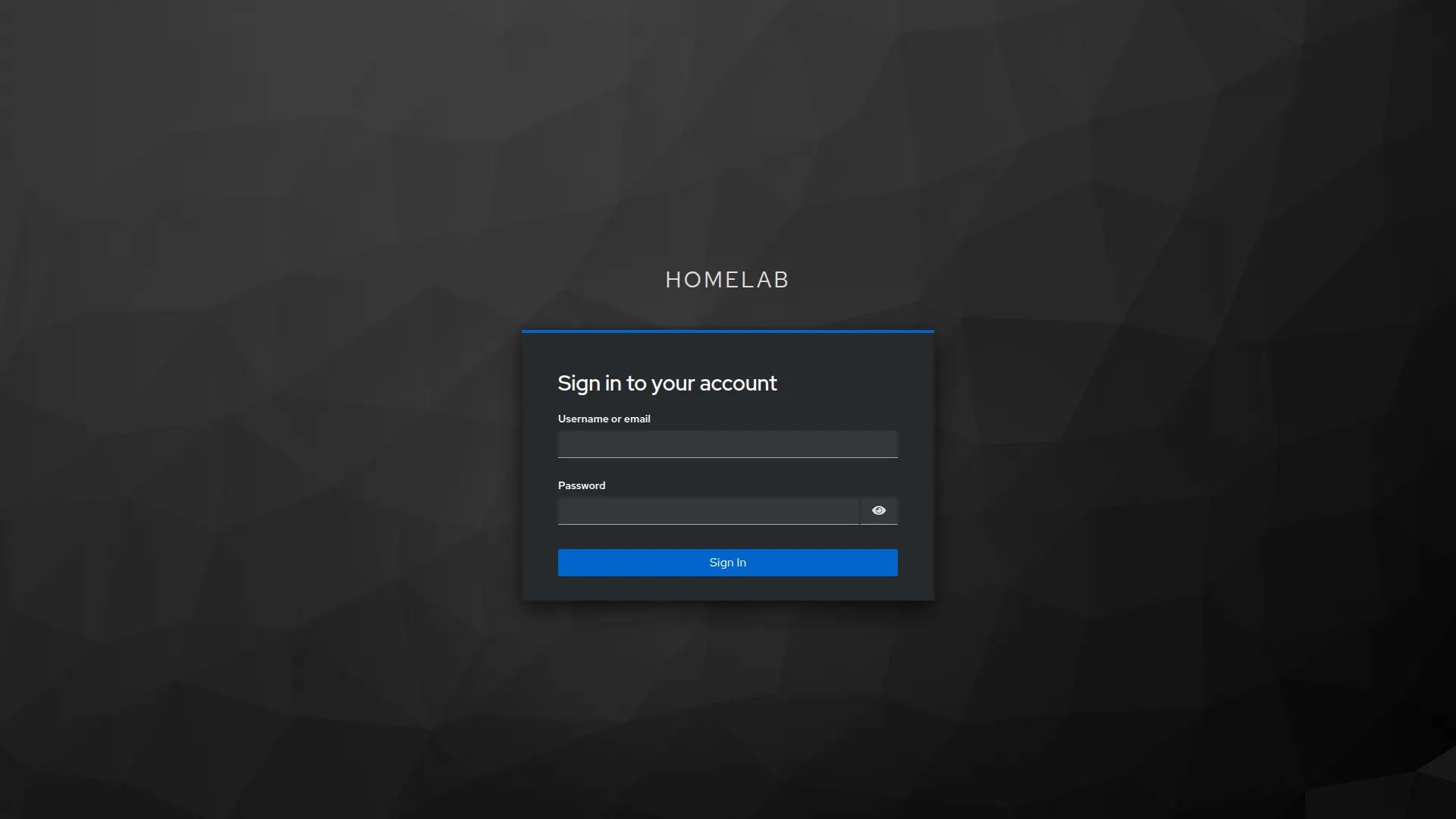 The Keycloak login page for the
 homelab realm. Every protected application redirects here on first access. The realm name and branding are configured in the Keycloak admin console.
The KC_HOSTNAME_URL gotcha
This is the one that Claude got wrong on the first attempt, and understanding it matters.
When you first deploy Keycloak, the instinct is to use whatever URL your ingress is serving. In this case, the nip.io LAN address. So you might set nothing (Keycloak auto-detects), or you set KC_HOSTNAME_URL=https://keycloak.10.0.0.201.nip.io.
The problem appears when you start adding Tailscale ingresses for remote access. The Tailscale operator assigns keycloak.homelab.ts.net with a proper Let’s Encrypt certificate. Now you have two URLs for the same Keycloak instance. And when a user logs in via OAuth2 Proxy, the OIDC token is issued with an iss (issuer) claim that contains the Keycloak URL.
If KC_HOSTNAME_URL says nip.io but OAuth2 Proxy’s oidc-issuer-url says homelab.ts.net, token validation fails with “invalid issuer”. The issuer in the token must exactly match the configured oidc-issuer-url in the consumer. The concrete error you’ll see in OAuth2 Proxy’s logs is:
OAuth2 Proxy: invalid issuer: expected "https://keycloak.10.0.0.201.nip.io/auth/realms/homelab", got "https://keycloak.homelab.ts.net/auth/realms/homelab"That log line is the diagnostic signal. The expected value is what OAuth2 Proxy was configured with; the got value is what Keycloak embedded in the JWT’s iss claim. They must match exactly.
The fix: pick one canonical URL for KC_HOSTNAME_URL and make everything else consistent with it. I chose the Tailscale URL because:
- It has a publicly trusted TLS certificate (Let’s Encrypt via
*.ts.net) - Users see a real cert on the login page, not a browser warning
- It works from both LAN and remote
- name: KC_HOSTNAME_URL
  value: "https://keycloak.homelab.ts.net"
But this creates a secondary problem: in-cluster pods need to resolve keycloak.homelab.ts.net. Kubernetes pods don’t have access to Tailscale MagicDNS, so that hostname doesn’t exist from inside the cluster. The fix is a CoreDNS custom override that rewrites the Tailscale hostname to the internal nginx ingress IP:
# kubernetes/platform/configs/coredns-custom.yaml
apiVersion: v1
kind: ConfigMap
metadata:
  name: coredns-custom
  namespace: kube-system
data:
  homelab.override: |
    rewrite name keycloak.homelab.ts.net keycloak.10.0.0.201.nip.io
This ConfigMap is picked up by K3s’s built-in CoreDNS (which includes the coredns-custom plugin). Pods resolve keycloak.homelab.ts.net to 10.0.0.201, nginx handles the request, and the homelab CA cert mounted in OAuth2 Proxy handles TLS validation for the in-cluster hop.
The Grafana SSO migration
The first app I protected with OAuth2 Proxy was Grafana. Three annotations on its nginx ingress, done. It worked immediately.
Several weeks later, I migrated Grafana off OAuth2 Proxy entirely and onto Grafana’s native auth.generic_oauth support. Here’s why:
OAuth2 Proxy is great for apps that have no auth of their own. But Grafana has built-in SSO support with additional capabilities: group-based role assignment, seamless redirect on first load, auto-provisioning. Using OAuth2 Proxy as an annotation-based gate means Grafana shows its own login page first (which then requires you to click through to SSO), and you lose the role-mapping features.
With native auth, the kube-prometheus-stack values look like this:
grafana:
  grafana.ini:
    server:
      root_url: "https://grafana.homelab.ts.net"
    auth.generic_oauth:
      enabled: true
      name: Keycloak
      allow_sign_up: true
      auto_login: true
      scopes: "openid profile email"
      auth_url: "https://keycloak.homelab.ts.net/auth/realms/homelab/protocol/openid-connect/auth"
      token_url: "https://keycloak.homelab.ts.net/auth/realms/homelab/protocol/openid-connect/token"
      api_url: "https://keycloak.homelab.ts.net/auth/realms/homelab/protocol/openid-connect/userinfo"
      role_attribute_path: "'Admin'"
      tls_client_ca: /etc/ssl/homelab/ca.crt
  envFromSecret: "grafana-keycloak-oidc"
auto_login = true is the key setting. Without it, Grafana shows its own login page with a “Sign in with Keycloak” button. With it, loading Grafana redirects immediately to Keycloak. For a homelab where you’re the only user, this is the right default.
The role_attribute_path: "'Admin'" expression is a JMESPath that evaluates to the string literal Admin. Every authenticated user gets Admin access. For a personal homelab, this is fine. For a shared environment, you’d map this to a Keycloak group claim.
After the migration, I removed the auth-url and auth-signin annotations from Grafana’s nginx ingress but kept the OAuth2 Proxy deployment running because 14 other apps still needed it.
What gets SSO and what doesn’t
Not everything should go through OAuth2 Proxy. Here’s how I divided the 21 nginx ingresses:
Protected by OAuth2 Proxy (14 apps): n8n, Wiki.js, code-server, JupyterLab, Docmost, Homepage, qBittorrent, Jackett, Linkwarden, Calibre-Web, draw.io, AFFiNE, YouTrack, Portainer.
OAuth2 Proxy bypassed, native auth instead (3 apps):
- Grafana: native
auth.generic_oauth, as described above - GitLab: configured with Keycloak as an OmniAuth OIDC provider natively; GitLab’s own auth handles user management, groups, and impersonation
- Dependency-Track: native OIDC integration; removing OAuth2 Proxy avoids double-login (covered in detail in Post 12)
No SSO (4 apps):
- Plex: has its own Plex account system that can’t be meaningfully replaced by Keycloak; adding OAuth2 Proxy in front would break the Plex native apps
- Windmill: has its own account system and SSO configuration; the OAuth2 Proxy annotation pattern conflicts with Windmill’s auth middleware
- Prometheus: metrics endpoint; the use case is Grafana querying it in-cluster, not browser access; protected by network isolation
- Nexus: serves unauthenticated apt/pip/npm/helm clients that can’t pass SSO; deliberate exemption documented in the codebase
Tailscale ingresses: no OAuth2 Proxy ever. The Tailscale ingress (ingressClassName: tailscale) bypasses nginx entirely. The Tailscale network IS the authentication layer for remote access. You must be logged in to the tailnet to reach these URLs. Adding OAuth2 Proxy on top would be redundant and would require additional configuration to handle the different cookie domains.
This is worth stating explicitly: for the dual-ingress pattern (nginx for LAN, Tailscale for remote), you apply SSO annotations only to the nginx ingress. The Tailscale ingress gets plain pass-through.
The proxy-buffer-size gotcha
This one is subtle enough that it only appears after you’ve been using SSO for a while and start assigning roles in Keycloak.
Keycloak JWTs contain all the user’s role assignments in the token payload. On a fresh install with no roles, the tokens are small. Once you start assigning realm-management roles, client-level roles, and group memberships, the JWT grows significantly. With enough roles, it exceeds nginx’s default proxy buffer size (4 KB response headers, 8 KB body).
The symptom: a 502 Bad Gateway when OAuth2 Proxy hits /oauth2/callback. The token exchange with Keycloak succeeds, but nginx can’t buffer the response headers back to the browser.
The fix is a single annotation on the OAuth2 Proxy ingress itself (not on the protected app ingresses):
apiVersion: networking.k8s.io/v1
kind: Ingress
metadata:
  name: oauth2-proxy
  namespace: oauth2-proxy
  annotations:
    cert-manager.io/cluster-issuer: homelab-ca-issuer
    nginx.ingress.kubernetes.io/proxy-buffer-size: "128k"
128 KB is generous enough to handle even heavily loaded Keycloak tokens. The annotation goes on the OAuth2 Proxy ingress because that’s where the large response is received. The /oauth2/callback endpoint is what nginx proxies to OAuth2 Proxy, and that’s where the buffering fails.
AI Collaboration Note
What Claude contributed: The initial Keycloak HelmRelease, OAuth2 Proxy configuration, and the nginx annotation pattern were all generated by Claude from a description of the desired architecture. The overall approach, keycloakx chart, keycloak-oidc provider, PKCE, audience mapper, was correct on the first pass.
Where it needed correction: Two specific failures required human diagnosis. First,
KC_HOSTNAME_URL. Claude initially suggested leaving it unset and letting Keycloak auto-detect, which works until you add a second ingress (Tailscale). The “invalid issuer” error at token validation time doesn’t clearly point back to the hostname mismatch; it took reading the OIDC spec’s issuer validation requirements to understand why. Second, theproxy-buffer-size502 appeared weeks after initial deployment. Claude hadn’t included it in the initial configuration and wouldn’t have known to add it without the failure context.Prompt that worked:
"Keycloak is deployed on two URLs — a nip.io LAN ingress and a Tailscale ingress. OAuth2 Proxy is configured with the Tailscale URL as the oidc-issuer-url. I'm getting 'invalid issuer' during token validation. Walk me through which KC_ environment variables control what URL Keycloak embeds in the iss claim, and what the consistency requirements are."Using a different AI tool? The KC_HOSTNAME_URL problem is one where you need to understand the OIDC specification, specifically that the
issclaim in a JWT must exactly match the issuer URL the client was configured with. Any AI tool can help you reason through this, but you need to supply the symptom (“invalid issuer” in logs) and the constraint (two different URLs for the same Keycloak instance). Frame it as “I have these two URLs and this error; what is the consistency requirement?” rather than “why is Keycloak broken?”
Lessons
-
Set up SSO before you have more than three apps. The per-app cost of adding OAuth2 Proxy annotations is low. The cost of retrofitting credentials and account data after you’ve been using apps for months is high.
-
KC_HOSTNAME_URLis the single source of truth for every OIDC consumer in your stack. Change it after deployment and you’ll spend an afternoon updating every service that hardcoded the old issuer URL. Choose your canonical Keycloak hostname once, make it the one with a trusted certificate, and treat it as immutable. -
KC_PROXY_HEADERS=xforwardedreplacesKC_PROXY=edgein Keycloak 26.x. If you’re following an older guide, update this. The deprecated value still works but generates warnings and may be removed. -
The SSO pattern is not one-size-fits-all. Plex breaks if you put OAuth2 Proxy in front of it. Grafana works better with native OIDC than with the proxy annotation. Nexus needs to be accessible to unauthenticated apt clients. Document which pattern each app uses and why: the absence of that documentation is what makes SSO configuration drift invisible until something breaks.
-
The
proxy-buffer-size502 will appear eventually. Raise it to 128k on the OAuth2 Proxy ingress before you see the problem, not after. The symptom is hard to correlate with the cause without already knowing about it.
Next: Post 7 — Secrets Without Secrets: 1Password Connect and External Secrets Operator — the production secrets pattern at homelab scale. Never commit a secret. Ever.