Homelab as Production/Part 8 of 16
The Application Deployment Pattern
A repeatable 7-manifest pattern (plus kustomization.yaml) that scales to 20+ applications
Around the time I deployed the fifth application to the cluster, I noticed something uncomfortable: each one had drifted slightly from the previous. The fourth app had a service that used port instead of name on the port definition. The third app had the ingress annotations in a different order than the first two, and one of them used a slightly different label selector convention. None of it was broken. All of it was inconsistent.
Inconsistency in infrastructure is a slow poison. It means you can’t use grep to understand the state of the system. You can’t delegate, to a colleague, to a script, or to an AI, because “what does this app look like?” has a different answer every time. And when something breaks at 11pm, inconsistency means you’re reading every file like it’s the first time you’ve seen it.
The fix was to stop treating each app as a fresh design exercise and start treating deployment as a repeatable mechanical process. Every application gets the same set of manifests. Every manifest follows the same structure. Deviation is a conscious choice, documented in comments, not drift.
I remember the session where this clicked. It was around the sixth deployment (n8n, I think) and I noticed I had written the ExternalSecret without checking any prior example. The structure was in my hands. That had never happened with Kubernetes YAML before. It happened because each previous deployment had been its own bounded session, one app per PR, nothing spilling over. There was no “I’ll finish this later.” The session ended with a merged PR, which meant the pattern had to be complete enough to ship. Doing that five times in five separate sessions, each scoped to one app, was what turned a reference into a reflex. Session discipline wasn’t just a way to keep the work manageable. It was how the pattern got built into memory.
At 20+ applications, that decision is paying compound interest.
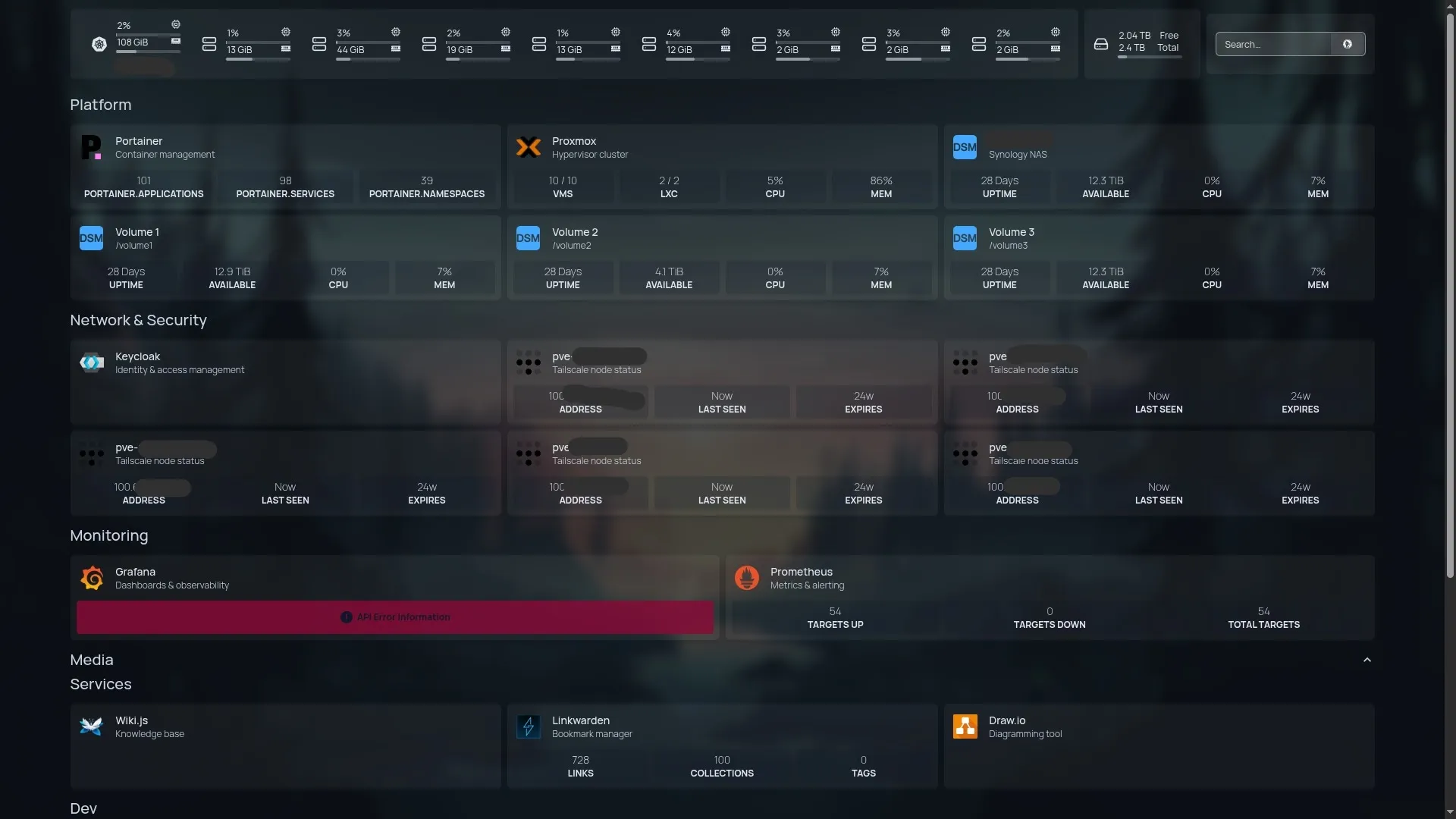 Platform tools, Tailscale nodes, and monitoring widgets on the Homepage dashboard. Every tile represents an application deployed through the same 7-manifest pattern.
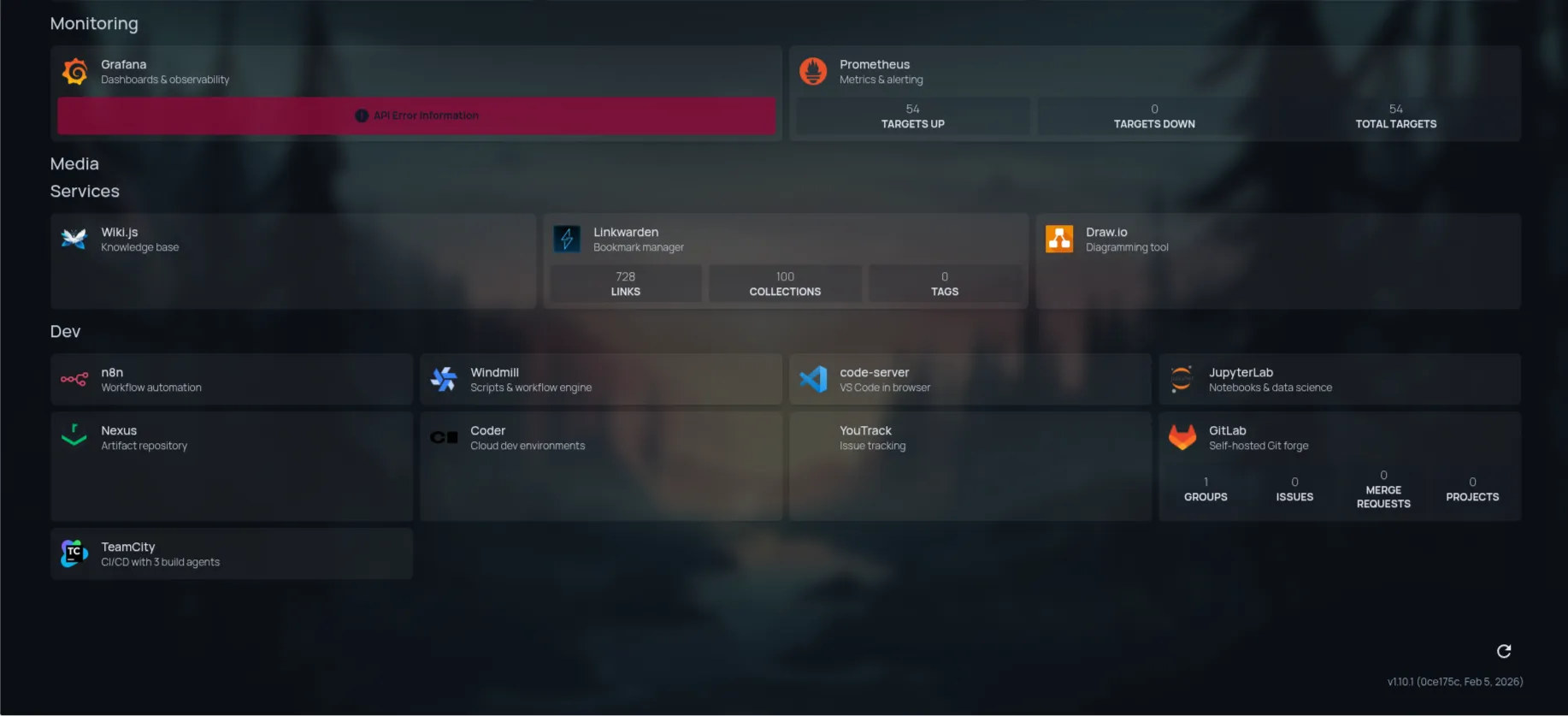 The developer tooling layer. Each of these applications was deployed in its own bounded session, one PR, following the same pattern.
The 7-Manifest Set
Every application in kubernetes/apps/<name>/ consists of the same manifest set (7 application manifests plus kustomization.yaml):
namespace.yaml: A dedicated namespace for isolation. Every app gets its own. No namespace sharing.pvc.yaml: A PersistentVolumeClaim backed by NFS storage. Only included for stateful apps; stateless apps skip it entirely.deployment.yaml: The workload. Either a raw Kubernetes Deployment or a Flux HelmRelease, depending on the app’s complexity.service.yaml: A ClusterIP Service. Internal to the cluster; ingress layers above it handle exposure.ingress.yaml: An nginx Ingress for LAN access, with an optional OAuth2 Proxy gate.tailscale-ingress.yaml: A second Ingress using the Tailscale operator, for remote access without VPN configuration.external-secret.yaml: An ESO ExternalSecret that pulls credentials from 1Password and materializes them as a Kubernetes Secret.kustomization.yaml: The Kustomize entrypoint. Lists all the above files. Flux reads this.
The pattern is the contract. When someone (including an AI) asks “how do I deploy a new app?”, the answer is: copy the pattern, fill in the blanks, don’t invent new conventions.
Walking Through Each Manifest
I’ll use Wiki.js as the reference. It’s a stateful app with external PostgreSQL, OAuth2 SSO, and dual ingress. A representative case without unusual complexity.
1. namespace.yaml
apiVersion: v1
kind: Namespace
metadata:
  name: wikijs
  labels:
    toolkit.fluxcd.io/tenant: dev-team
One namespace per app. The toolkit.fluxcd.io/tenant label is a Flux convention for RBAC scoping. It costs nothing to add and enables tenant-aware access control later. The namespace name matches the directory name. No creative naming.
2. pvc.yaml
For stateful apps, storage is declared before the Deployment references it. Wiki.js doesn’t need a PVC directly (it uses external PostgreSQL for content), but a storage-heavy app like Dependency-Track illustrates the pattern:
apiVersion: v1
kind: PersistentVolumeClaim
metadata:
  name: dependency-track-data
  namespace: dependency-track
spec:
  storageClassName: nfs-kubernetes
  accessModes:
    - ReadWriteMany
  resources:
    requests:
      storage: 10Gi
The nfs-kubernetes StorageClass provisions NFS-backed volumes via the NFS CSI driver. ReadWriteMany is appropriate here because NFS supports concurrent mounts, which matters if you ever want to scale replicas or run a maintenance job alongside the main workload. Kubernetes PersistentVolumeClaims are the abstraction layer; the StorageClass is where NFS-specific behavior lives.
3. deployment.yaml
The core of the workload. Key fields to get right: image pin, resource requests/limits, probes, and secret injection.
apiVersion: apps/v1
kind: Deployment
metadata:
  name: wikijs
  namespace: wikijs
spec:
  replicas: 1
  strategy:
    type: Recreate          # stateful app: don't run two at once
  selector:
    matchLabels:
      app.kubernetes.io/name: wikijs
  template:
    metadata:
      labels:
        app.kubernetes.io/name: wikijs
    spec:
      containers:
        - name: wikijs
          image: requarks/wiki:2.5.312   # pinned — :latest fails CI
          ports:
            - name: http
              containerPort: 3000
          env:
            - name: DB_PASS
              valueFrom:
                secretKeyRef:
                  name: wikijs-secrets
                  key: db-password       # from ExternalSecret below
          resources:
            requests:
              cpu: 100m
              memory: 256Mi
            limits:
              cpu: 2000m
              memory: 1Gi
A few things worth noting: strategy: Recreate is required for apps that hold file locks or can’t safely run two instances simultaneously. The image tag is always pinned. CI enforces this; floating tags like :latest are rejected unless explicitly allowlisted. And the secret reference (secretKeyRef) points to a Secret named wikijs-secrets, which is created by the ExternalSecret at the bottom of this stack.
See Kubernetes Deployment documentation for the full spec reference.
4. service.yaml
A ClusterIP Service. Nothing exotic. It routes traffic from ingresses to pods by label selector.
apiVersion: v1
kind: Service
metadata:
  name: wikijs
  namespace: wikijs
spec:
  type: ClusterIP
  ports:
    - name: http
      port: 3000
      targetPort: http
  selector:
    app.kubernetes.io/name: wikijs
The targetPort: http references the named port on the container, not a number. Named ports are more readable and tolerate port number changes without cascading updates across files.
5. ingress.yaml: The LAN Gate
The nginx Ingress is where the most policy lives. It terminates TLS (via cert-manager), optionally enforces SSO (via OAuth2 Proxy), and routes traffic to the Service.
apiVersion: networking.k8s.io/v1
kind: Ingress
metadata:
  name: wikijs
  namespace: wikijs
  annotations:
    cert-manager.io/cluster-issuer: homelab-ca-issuer
    nginx.ingress.kubernetes.io/auth-url: "http://oauth2-proxy.oauth2-proxy.svc.cluster.local/oauth2/auth"
    nginx.ingress.kubernetes.io/auth-signin: "https://oauth2-proxy.10.0.0.201.nip.io/oauth2/start?rd=$scheme://$host$request_uri"
    nginx.ingress.kubernetes.io/auth-response-headers: "X-Auth-Request-User,X-Auth-Request-Email,X-Auth-Request-Access-Token"
spec:
  ingressClassName: nginx
  rules:
    - host: wiki.10.0.0.201.nip.io
      http:
        paths:
          - path: /
            pathType: Prefix
            backend:
              service:
                name: wikijs
                port:
                  number: 3000
  tls:
    - secretName: wikijs-tls
      hosts:
        - wiki.10.0.0.201.nip.io
The auth-url and auth-signin annotations are the SSO gate. Every incoming request hits OAuth2 Proxy’s auth endpoint first; unauthenticated requests are redirected to Keycloak for login. Apps with their own auth (Grafana, GitLab, Dependency-Track) simply omit these two annotations. OAuth2 Proxy stays out of the path.
The hostname pattern is <app>.10.0.0.201.nip.io where 10.0.0.201 is the MetalLB VIP assigned to ingress-nginx. nip.io does magic DNS resolution that maps any <anything>.<ip>.nip.io to that IP address, so no DNS server configuration is required. That’s exactly what you want for a homelab ingress.
See ingress-nginx annotation documentation and OAuth2 Proxy ingress configuration for the full annotation reference.
6. tailscale-ingress.yaml: The Remote Gate
The Tailscale Ingress is deliberately minimal. The Tailscale Kubernetes operator handles TLS certificate provisioning, DNS registration, and ACL enforcement automatically. There’s almost nothing to configure.
apiVersion: networking.k8s.io/v1
kind: Ingress
metadata:
  name: wikijs-tailscale
  namespace: wikijs
spec:
  ingressClassName: tailscale
  defaultBackend:
    service:
      name: wikijs
      port:
        number: 3000
  tls:
    - hosts:
        - wiki
The tls.hosts entry is just the hostname prefix. wiki becomes wiki.homelab.ts.net in the Tailscale network. The operator registers it, provisions a Let’s Encrypt cert (via Tailscale’s cert infrastructure), and routes traffic. No cert-manager annotation, no OAuth2 Proxy annotation. Tailscale access is controlled by your Tailnet’s ACL, which is a single source of truth for remote access policy.
See Tailscale Kubernetes operator ingress documentation for the full configuration reference.
7. external-secret.yaml: The Credential Bridge
This is where credentials flow from 1Password into Kubernetes. The ExternalSecret CR tells ESO what to fetch and where to put it.
apiVersion: external-secrets.io/v1
kind: ExternalSecret
metadata:
  name: wikijs-secrets
  namespace: wikijs
spec:
  refreshInterval: 1h
  secretStoreRef:
    name: onepassword-connect
    kind: ClusterSecretStore
  target:
    name: wikijs-secrets      # creates a Secret with this name
    creationPolicy: Owner
  data:
    - secretKey: db-password
      remoteRef:
        key: wikijs            # 1Password item name
        property: db-password  # custom text field name
    - secretKey: git-ssh-key
      remoteRef:
        key: wikijs
        property: git-ssh-key
The ClusterSecretStore named onepassword-connect was established in the platform layer (Post 4). Each app’s ExternalSecret references it and declares what it needs. ESO materializes the Kubernetes Secret; the Deployment references it by name. Secrets never touch the Git repository.
One critical constraint: 1Password default Login fields (username and password) aren’t addressable by property in the ESO integration. All credential fields must be custom text fields in the 1Password item. This tripped me up on the first three apps and I never forgot it after that.
kustomization.yaml
The directory-level Kustomize entrypoint. Flux reads this file to discover all resources.
apiVersion: kustomize.config.k8s.io/v1beta1
kind: Kustomization
namespace: wikijs
resources:
  - namespace.yaml
  - deployment.yaml
  - service.yaml
  - ingress.yaml
  - external-secret.yaml
  - tailscale-ingress.yaml
The namespace field sets a default namespace for all resources that don’t explicitly declare one. Resources are listed in deployment order by convention, though Kubernetes handles dependency resolution at apply time.
See Flux Kustomization documentation for the full reconciliation spec.
Component Relationships
Here’s how all seven pieces connect at runtime:
graph TD
    subgraph "1Password"
        OP[1Password Item<br/>wikijs]
    end

    subgraph "Kubernetes Cluster"
        ES[ExternalSecret<br/>wikijs-secrets] -->|fetches| OP
        ES -->|creates| SEC[Secret<br/>wikijs-secrets]

        PVC[PersistentVolumeClaim<br/>wikijs-data]

        SEC -->|mounted as env| POD[Pod<br/>wikijs container]
        PVC -->|mounted as volume| POD

        POD --> SVC[Service<br/>ClusterIP :3000]

        ING[nginx Ingress<br/>wiki.10.0.0.201.nip.io] -->|routes to| SVC
        TSING[Tailscale Ingress<br/>wiki.homelab.ts.net] -->|routes to| SVC

        OAP[OAuth2 Proxy] -->|auth gate| ING
        CM[cert-manager] -->|TLS cert| ING
    end

    USER1[LAN User] -->|HTTPS| ING
    USER2[Remote User] -->|Tailscale| TSING
The dependency direction matters: the Secret must exist before the Pod starts, so the ExternalSecret must reconcile first. Flux handles this naturally because it applies resources in the order listed in kustomization.yaml and retries on failure.
HelmRelease vs Raw Manifests
Not every app uses a raw Deployment. The choice between raw manifests and a Flux HelmRelease is made app by app, based on a simple question: does the Helm chart add value, or does it add complexity?
Use a HelmRelease when:
- The app has a mature, actively maintained chart with many configuration options (Grafana, Keycloak, Nexus, Prometheus stack)
- The chart handles upgrade logic, StatefulSet migrations, or complex multi-component deployments
- You want to track chart versions independently from the image version
Use raw manifests when:
- The app is simple: one container, one service, one ingress
- The available Helm chart is poorly maintained or adds more abstraction than value
- You want complete visibility into exactly what Kubernetes resources exist
In this cluster, roughly half the apps use raw manifests and half use HelmReleases. They coexist without friction because the pattern above applies to both: the outer shell (namespace, secret, ingress) is always raw manifests; only the inner workload changes between a Deployment and a HelmRelease.
A HelmRelease for a complex app like Nexus still lives inside the same directory structure with the same surrounding files. The deployment.yaml is just replaced by a release.yaml.
Updating an application’s image version once it’s deployed follows the same GitOps path: update the image tag in the Deployment manifest, commit, push, and let Flux reconcile. If you’re tracking upstream releases, check the project’s GitHub releases page (or GHCR tags page for images hosted there), update the tag in deployment.yaml, and open a PR. The strategy: Recreate on stateful apps means the old pod stops before the new one starts. There’s no window where two instances are competing over the PVC. This is also where the Nexus pull-through cache earns its keep: the new image tag is fetched from upstream once, cached in Nexus, and then available to all three nodes that pull it for pod scheduling without hitting upstream again. A version bump is a one-line change and should be its own PR: it’s the smallest possible blast radius, it’s easily reverted, and it gives you a clean audit trail of exactly when each version was deployed.
AI as Pattern Replicator
Here’s the leverage point that makes the pattern worth the upfront discipline investment.
When the pattern exists and is consistent, an AI assistant can apply it mechanically to new applications. The prompt that worked for most of the 20+ deployments in this cluster was a variation of:
“Deploy n8n following the same pattern as Wiki.js. It needs external PostgreSQL on
10.0.0.44, a 5Gi NFS PVC for workflow data, an ExternalSecret for the DB password from 1Password itemn8n, and OAuth2 Proxy SSO on the nginx ingress. Port 5678.”
The output is a complete manifest set, all seven application manifests plus kustomization.yaml, with n8n-specific values substituted in. The human review step is fast because you’re not reading novel code. You’re checking: did it get the port right? Is the image pinned? Is the namespace correct? Is the ExternalSecret pointing at the right 1Password item name?
That review takes about three minutes, not thirty. Multiplied across 15 apps deployed in a single session, that’s a significant difference.
The ease with which a new application deploys is astonishing. For AFFiNE I quite literally said I wanted to try it out to show my sister an alternative to Notion. There was minimal to non-existent intervention needed, even accounting for the issues Claude ran into along the way.
The AI handles the boilerplate. The human handles the judgment calls: which fields are app-specific, which gotchas apply to this particular image, what resource limits are appropriate.
AI Collaboration Note What Claude contributed: Scaffolded complete 7-manifest sets (plus kustomization.yaml) for 12 of the 20 deployed applications in one session, adapting the pattern from the first deployed app to all subsequent ones with near-zero rework on the boilerplate. Where it needed correction: The AFFiNE deployment initially specified image tag
v0.26.2, the GitHub release name. The actual GHCR Docker image tag is0.26.2(novprefix). This causedImagePullBackOffand was caught during deployment, not during review. Claude didn’t know this convention difference existed because it’s not in any specification. It’s a per-project decision by the AFFiNE maintainers. Prompt that worked:"Deploy AFFiNE following the same pattern as Wiki.js. It needs PostgreSQL (Prisma), a Redis sidecar for job queues, a 20Gi NFS PVC for blob storage, and WebSocket support on the nginx ingress. Pull the image from ghcr.io/toeverything/affine-graphql."Using a different AI tool? The same approach works with any capable LLM. The key is providing a concrete reference example, not just a description of the pattern. Paste in one complete existing manifest set as context, then describe the new app’s requirements. Without the reference, you’ll get a generic Kubernetes manifest that doesn’t match your conventions.
Failures That Shaped the Pattern
Three bugs changed how I thought about the pattern. Each one is now a permanent addition to the mental checklist and the gotchas registry.
The configuration-snippet Wall
The original approach for WebSocket-heavy apps (AFFiNE, Windmill) was to use the nginx.ingress.kubernetes.io/configuration-snippet annotation to inject custom headers into the nginx server block:
# This does not work in ingress-nginx 1.9+
nginx.ingress.kubernetes.io/configuration-snippet: |
  proxy_set_header Upgrade $http_upgrade;
  proxy_set_header Connection "upgrade";
Starting with ingress-nginx 1.9, this annotation is blocked by default by the admission webhook. The admission request is rejected with a validation error, not a runtime error but a deploy-time error. This is a security hardening measure: configuration-snippet allows arbitrary nginx config injection, which is a real attack surface in multi-tenant environments.
The fix is the proxy-set-headers annotation, which points to a ConfigMap in the same namespace:
nginx.ingress.kubernetes.io/proxy-set-headers: "affine/websocket-headers"The ConfigMap contains the same headers, but only header injection is allowed. No arbitrary nginx directives. It’s a more constrained interface, which is exactly the point.
This became a permanent pattern: WebSocket apps get a websocket-headers-configmap.yaml alongside their other manifests.
The GHCR Image Tag Convention
GitHub Container Registry (GHCR) has an inconsistency that doesn’t appear in any documentation because it’s not a GHCR problem. It’s a per-project convention problem.
Many projects publish GitHub releases with a tag like v0.26.2 and Docker images with a tag like 0.26.2. The v prefix exists in one place and not the other. Kubernetes imagePullBackOff is the error; the cause is a 404 on the specific tag. The fix is removing the v prefix from the image tag in the manifest.
This isn’t reliably detectable by an AI before deployment because it requires checking the project’s actual GHCR tags, not inferring the convention from the release name. The checklist item is: when a new app uses GHCR, always verify the exact tag format at ghcr.io/o/<repo>/tags before committing the manifest.
Flux Kustomization Atomicity
A Flux Kustomization is atomic. If one resource in the Kustomization fails to apply, an invalid manifest, a missing CRD, a schema validation error, then none of the other resources in that Kustomization are applied.
This has a direct consequence for repository structure: apps should never share a Kustomization with platform components. Each app gets its own Kustomization entry in clusters/homelab/apps.yaml. A single broken app manifest blocks only that app, not the entire apps layer.
It also means that temporary failures during kubectl apply (like an ExternalSecret that can’t reach 1Password, or a node selector that doesn’t match any node yet) will hold back all other resources in the same Kustomization until the blocking resource clears. When debugging a stuck Kustomization, the first step is always: kubectl get kustomization -n flux-system and kubectl describe kustomization apps -n flux-system to find which resource is failing.
Lessons
-
The pattern is the contract. Consistency across 20 apps means any file in
kubernetes/apps/is immediately readable. Deviation from the pattern should be a decision, not drift. -
Dual ingress is not optional. Every app gets both nginx (LAN) and Tailscale (remote). Skipping Tailscale ingress means the app is unreachable when you’re not on the home network. This matters more than you expect until the first time you need to debug something from a coffee shop.
-
Two annotations are the difference between a protected and an unprotected app. The pattern is identical either way; you just omit
auth-urlandauth-signinfor apps that handle their own auth. This matters because it means adding SSO later is a two-line change, not a deployment refactor. -
AI handles the boilerplate; humans handle the gotchas. The image tag convention, the
configuration-snippetwall, the 1Password custom field requirement. These aren’t in any spec. They come from experience. The AI applies the pattern; the human catches the edge cases. -
Flux atomicity is a feature, not a bug. A broken manifest blocks only its own Kustomization. Structure your Kustomizations accordingly: one per app, not one for everything.
Next: Post 9 — Nexus: Building Your Own Software Supply Chain — why your homelab needs a repository manager, and how to build one.
This post is part of Homelab as Production: AI-Assisted Infrastructure from Zero to GitOps, a 16-part series on building a production-grade homelab with Terraform, Ansible, FluxCD, and AI-assisted development.