Homelab as Production/Part 12 of 16
GitLab on Kubernetes — 10 PRs to Make It Work
Self-hosted GitLab with Keycloak OIDC, homelab CA TLS, and a K8s runner — and the PR review that caught the mistakes
There is a certain irony in deploying a self-hosted Git platform to manage the infrastructure that is hosting it. GitLab went in across three sessions and ten pull requests. Some of those PRs were feature work. Several were fixes for bugs that previous PRs introduced. One was a direct response to code review feedback that made the previous PR substantially better.
That last part is the story I want to tell in this post. Not just “here is how to deploy GitLab” (the documentation handles that), but what the collaboration loop looks like when you use an AI assistant as a first-pass code generator and then review its output as a senior engineer would.
But first, the deployment itself.
Why self-host GitLab at all
GitHub already hosts the repository. Flux already reads from GitHub. The CI pipeline on GitHub Actions already runs. So why add GitLab?
The honest answer: why not. But the practical reasons were real. I wanted more autonomy over how my home projects were managed, and I wanted to understand the actual effort involved in building the pipelines I was using at work.
Three reasons. First, skills: GitLab’s integrated CI/CD is the platform I encounter most often in enterprise environments. Running it at home means real experience with .gitlab-ci.yml pipelines, GitLab Runner configuration, and the project/group/namespace model, not just theoretical knowledge. Second, mirror: having a GitLab instance lets me practice push mirroring and keeps a local copy of the repository that is reachable without internet access. Third, the Nexus and Dependency-Track integration: some CI jobs needed to push artifacts to Nexus and upload SBOMs to Dependency-Track, both of which are on the homelab network. Running those jobs on a homelab runner made more sense than routing them through GitHub-hosted runners.
The resource cost is real. GitLab CE Omnibus isn’t a lightweight application. It runs a full Ruby on Rails stack, a Puma web server, Sidekiq workers, and a bundled PostgreSQL instance (more on that choice in a moment). On a cluster node with enough headroom, it works. On a constrained node, it consumes memory that other workloads would prefer to have.
Raw manifests, not the Helm chart
GitLab publishes an official Helm chart that handles the full cloud-native deployment: separate pods for each component, independent scaling, Geo replication support. It’s the right choice for a production team.
For a homelab, it’s too much. The cloud-native chart requires a minimum of 8 GB RAM per the GitLab documentation and produces a multi-component deployment with its own ingress controller preferences, cert-manager integration, and a PostgreSQL operator dependency. When something goes wrong, you’re debugging Helm-generated templates that render differently depending on which values you set.
I chose the GitLab CE Omnibus Docker image (gitlab/gitlab-ce) instead. A single container running the full application, configured via one environment variable (GITLAB_OMNIBUS_CONFIG), with a single PVC mounted at /etc/gitlab, /var/log/gitlab, and /var/opt/gitlab.
The explicit manifest approach means I know exactly what’s deployed. When a probe fails, when the init container errors, when an ingress annotation doesn’t take effect, I can read the manifest directly and understand why. There’s no template rendering layer between my configuration and the running pod.
I like knowing the nitty-gritty details of how something works. I’ve always preferred the command line and building things in Linux from scratch, so using raw manifests was a natural choice, especially when the official Helm charts are heavyweight or poorly maintained.
The embedded PostgreSQL, rather than the external HA cluster used for every other application, was a deliberate tradeoff. GitLab manages its own schema migrations aggressively, and running gitlab-ctl reconfigure against an external cluster that I also maintain for ten other databases added operational complexity I didn’t want. GitLab’s embedded PostgreSQL lives on the same PVC as the rest of the application data and is backed up by the same Velero snapshot policy.
Keycloak OIDC and the homelab CA problem
The first interesting problem was OIDC. GitLab CE supports OIDC as an OmniAuth provider, configured in GITLAB_OMNIBUS_CONFIG. The configuration looks like this:
gitlab_rails['omniauth_enabled'] = true
gitlab_rails['omniauth_allow_single_sign_on'] = ['openid_connect']
gitlab_rails['omniauth_block_auto_created_users'] = false
gitlab_rails['omniauth_providers'] = [
  {
    name: 'openid_connect',
    label: 'Keycloak',
    args: {
      name: 'openid_connect',
      scope: ['openid', 'profile', 'email'],
      response_type: 'code',
      issuer: 'https://keycloak.homelab.ts.net/realms/homelab',
      discovery: true,
      client_auth_method: 'query',
      uid_field: 'preferred_username',
      client_options: {
        identifier: ENV['GITLAB_OIDC_CLIENT_ID'],
        secret: ENV['GITLAB_OIDC_CLIENT_SECRET'],
        redirect_uri: 'https://gitlab.homelab.ts.net/users/auth/openid_connect/callback'
      }
    }
  }
]
The issuer URL is the Tailscale URL for Keycloak, the authoritative URL that all OIDC clients use, because it carries a valid Let’s Encrypt certificate. (If you’re reading from the beginning of this series, Post 9 covers why Keycloak uses the Tailscale hostname as its frontend URL and why that choice propagates through every OIDC client.)
The problem is that GitLab’s Ruby OIDC client performs the OIDC discovery request against that issuer URL. On this homelab, the nginx ingress for the LAN hostname uses a certificate signed by the homelab CA, not Let’s Encrypt. GitLab’s Ruby runtime doesn’t trust the homelab CA by default. OIDC discovery fails with a TLS verification error, and the “Log in with Keycloak” button never appears.
The init container pattern
The fix is to install the homelab CA certificate into GitLab’s certificate trust store before the main application starts. The challenge is that GitLab Omnibus’s gitlab-ctl reconfigure process (which runs on startup) tries to symlink or rename files in /etc/gitlab/trusted-certs/. If you mount a ConfigMap with subPath into that directory, the mount target becomes read-only (EROFS) and the reconfigure step fails.
The solution is an init container that copies the CA certificate from a read-only ConfigMap volume into the writable GitLab config PVC:
initContainers:
  - name: install-ca-cert
    image: busybox:1.36.1
    command:
      - sh
      - -c
      - |
        cp /tmp/ca-certs/homelab-ca.crt \
           /etc/gitlab/trusted-certs/homelab-ca.crt
        echo "CA cert installed"
    volumeMounts:
      - name: homelab-ca
        mountPath: /tmp/ca-certs
        readOnly: true
      - name: gitlab-data
        mountPath: /etc/gitlab
        subPath: config

volumes:
  - name: homelab-ca
    configMap:
      name: homelab-ca-cert
  - name: gitlab-data
    persistentVolumeClaim:
      claimName: gitlab-data
The init container writes the cert into the PVC path, which is writable. When the main GitLab container starts and runs gitlab-ctl reconfigure, it finds the cert in the right place, adds it to the OpenSSL store, and OIDC discovery against the homelab CA-signed nginx ingress succeeds.
This pattern, init container writing into PVC paths with the main container reading from the same PVC, works anywhere you need to stage immutable ConfigMap data into a mutable filesystem location before an application starts.
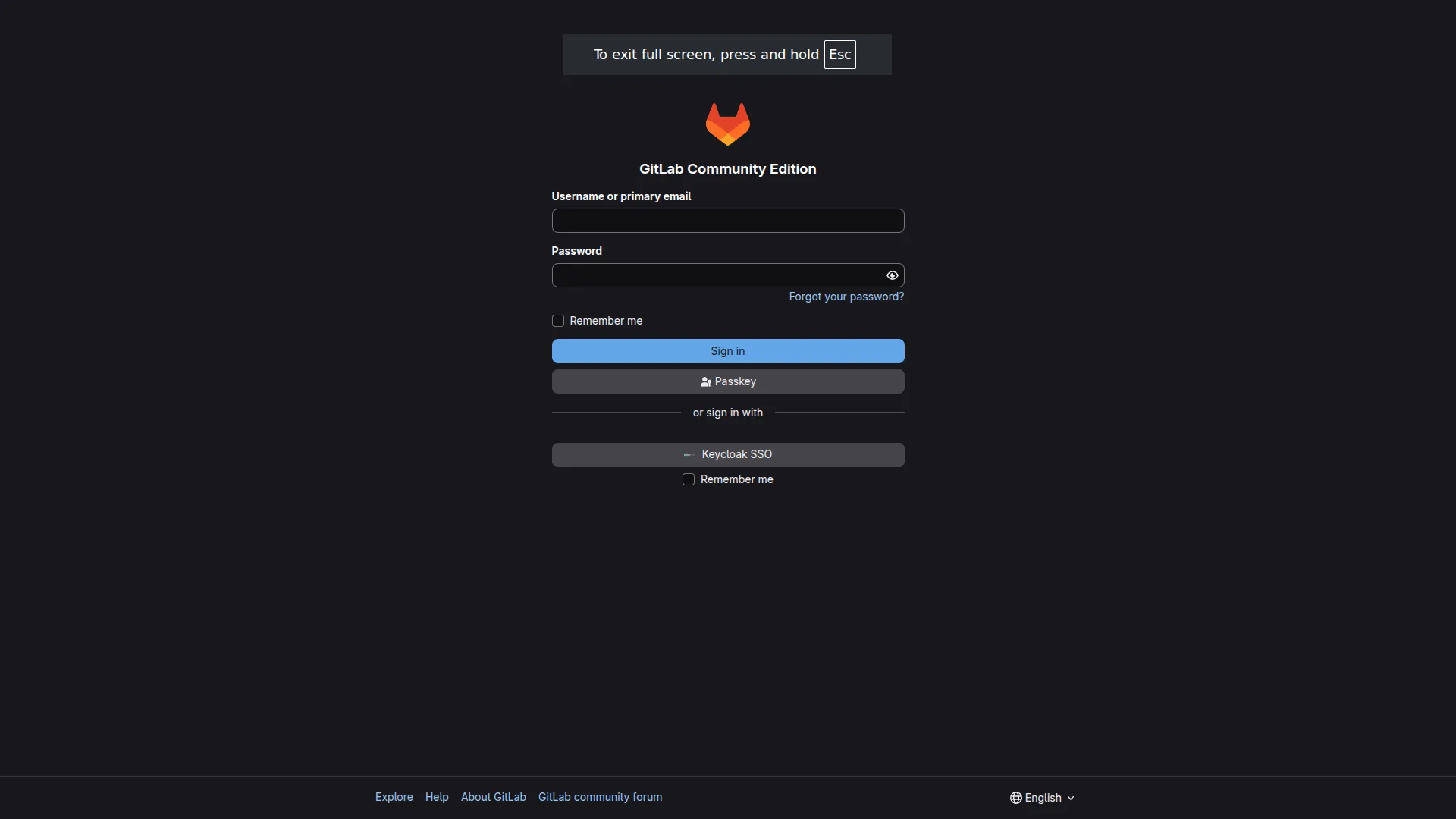 The GitLab CE sign-in page after the init container fix. The “Keycloak SSO” button appears, confirming that OIDC discovery against the homelab CA-signed ingress succeeded.
The GitHub to GitLab push mirror
Once GitLab was running, the question was where to put the code. The answer was: GitHub stays as the primary, and a GitHub Actions workflow pushes a mirror to GitLab on every merge to main.
# .github/workflows/mirror-to-gitlab.yml
name: Mirror to GitLab

on:
  push:
    branches: [main]

jobs:
  mirror:
    runs-on: self-hosted
    steps:
      - uses: actions/checkout@v4
        with:
          fetch-depth: 0
      - name: Push mirror to GitLab
        run: |
          git remote add gitlab \
            https://oauth2:${{ secrets.GITLAB_MIRROR_TOKEN }}@gitlab.homelab.ts.net/homelab/homelab-iac.git
          git push gitlab main --force
The decision to keep GitHub as the Flux GitOps source wasn’t obvious at first. The more elegant story would be “GitLab is the primary; Flux reads from GitLab.” But that creates a circular dependency. If the cluster has a problem severe enough that GitLab goes down, Flux can’t reconcile the manifests that would fix GitLab, because those manifests are hosted on the failing GitLab. The system can’t repair itself.
By keeping GitHub as the Flux source and using GitLab as a mirror for CI and development work, I avoided that dependency cycle. GitLab can be down, can be redeployed from scratch, can be completely rebuilt, and Flux keeps the cluster healthy throughout, because its source is external to the cluster.
The GitLab CI pipeline
With the mirror in place, I wrote a .gitlab-ci.yml that mirrors the GitHub Actions validation suite. The GitLab CI documentation is comprehensive. The interesting design choices were around the differences between the two platforms.
The pipeline has six stages: validate, lint, test, publish, sbom, and smoke. The validate and lint stages run the same Terraform, Ansible, and Kubernetes checks as GitHub Actions. The publish stage deploys artifacts to Nexus. The sbom stage generates a CycloneDX Software Bill of Materials and uploads it to Dependency-Track. The smoke stage runs cluster health checks.
Two GitLab CI specifics required attention.
First, the Terraform jobs use the 1Password Terraform provider, which is CGO-compiled against glibc. The default Terraform Docker image (hashicorp/terraform) is Alpine-based, which uses musl libc. The fix was to add gcompat to the Alpine Terraform image, which provides a glibc compatibility layer that the 1Password provider binary can link against.
Second, the publish-nexus job calls a script that uses git rev-parse to embed a commit hash in artifact metadata. The default GitLab job image doesn’t include git. The fix was a single line in the job before_script: apk add --no-cache git.
Neither of these is a profound lesson. Both are the kind of “the image doesn’t have the tool I assumed it would” discovery that’s routine in CI debugging. The value of running the same logic on two different CI systems is that you find assumptions that were invisible when the code only ran in one place.
The Kubernetes executor runner
GitLab Runner with the Kubernetes executor runs each CI job in a separate Kubernetes pod. The runner itself is a long-running deployment that polls the GitLab instance for new jobs and spawns pods to execute them.
The runner is deployed via the official GitLab Runner Helm chart:
apiVersion: helm.toolkit.fluxcd.io/v2
kind: HelmRelease
metadata:
  name: gitlab-runner
  namespace: gitlab-runner
spec:
  chart:
    spec:
      chart: gitlab-runner
      version: "0.x"
      sourceRef:
        kind: HelmRepository
        name: gitlab
        namespace: gitlab-runner
  values:
    gitlabUrl: https://gitlab.10.0.0.201.nip.io
    runnerToken: "${GITLAB_RUNNER_TOKEN}"
    rbac:
      create: true
    runners:
      config: |
        [[runners]]
          [runners.kubernetes]
            namespace = "gitlab-runner"
            image = "alpine:3.19"
The gitlabUrl uses the LAN nip.io ingress URL, not the Tailscale URL. This is because the runner runs as a pod inside the cluster, and pods can’t resolve Tailscale MagicDNS (*.ts.net) via CoreDNS. The nip.io hostname resolves directly to the MetalLB VIP and is reachable from within the cluster.
The glrt- token gotcha
GitLab 16 changed how runner registration works. Previously, you used a “registration token,” a shared secret that gitlab-runner register exchanged for a runner credential. With GitLab 16+, you create a “runner authentication token” in the GitLab UI, and that token is used directly for registration.
The tokens start with glrt-. The key behavioral difference: runner attributes like --tag-list, --run-untagged, and --locked are configured in the GitLab UI when you create the token. They can’t be passed as flags to gitlab-runner register. If you pass them, the CLI accepts the flags silently and then ignores them. The server-side configuration takes precedence.
This caused a confusing failure. The runner registered successfully but wasn’t picking up jobs. The --run-untagged flag had been passed to the registration command but the runner’s server-side configuration still had it set to false. Jobs without tags went unmatched. The fix was to update the runner’s settings in the GitLab UI, not to change the registration command.
The diagnostic signal is: runner shows as “online” in GitLab settings, but jobs sit in “pending” state indefinitely. Always verify server-side runner settings in the GitLab UI after registration, especially with glrt- tokens.
The homelab shell runner
The Kubernetes executor is excellent for isolation and parallelism. It’s the wrong tool for jobs that need persistent local state, or access to cluster credentials, or tools that are awkward to install in an ephemeral Alpine container.
The sbom job is a good example. It needs kubectl to query the cluster for deployed image versions. It needs the homelab CA certificate so that curl can reach the Nexus and Dependency-Track APIs over TLS. It needs yq and python3 for the SBOM generation script. Running all of this in an ephemeral pod would require either a custom image or a long before_script that installs everything on each run.
A shell executor on a cluster node is simpler. The job runs directly in the shell of the registered machine, with access to the node’s filesystem, its CA certificates, and its kubectl configuration.
I wrote an Ansible playbook to deploy the shell runner to the first K3s server node. The playbook:
- Downloads the
gitlab-runnerbinary from the official release URL - Verifies the SHA256 checksum before installing
- Installs the homelab CA certificate and updates the trust store
- Registers the runner using the
glrt-token retrieved from 1Password via theonepassword.connectAnsible collection - Enables and starts the
gitlab-runnersystemd service
This is where PR #178 entered the story.
PR #178: the first pass
Claude drafted the shell runner playbook and submitted it as PR #178. The playbook worked: the runner registered, the sbom job ran, the SBOM appeared in Dependency-Track. But a review of the code as a senior engineer would read it revealed five specific problems.
Here is what the review found, and how each was addressed.
Problem 1: no checksum verification on the binary download
The original playbook used get_url to download the gitlab-runner binary with no integrity check:
- name: Download gitlab-runner binary
  ansible.builtin.get_url:
    url: "https://gitlab-runner-downloads.s3.amazonaws.com/latest/binaries/gitlab-runner-linux-amd64"
    dest: /usr/local/bin/gitlab-runner
    mode: "0755"
A supply chain attack that compromised the download URL, or a transient CDN corruption, would install a malicious binary. The fix in PR #179 pins the version and verifies the SHA256 checksum:
- name: Download gitlab-runner binary
  ansible.builtin.get_url:
    url: "https://gitlab-runner-downloads.s3.amazonaws.com/v{{ gitlab_runner_version }}/binaries/gitlab-runner-linux-amd64"
    dest: /usr/local/bin/gitlab-runner
    checksum: "sha256:{{ gitlab_runner_checksum }}"
    mode: "0755"
With checksum set, get_url verifies the downloaded file before writing it to disk. If the hash doesn’t match, the task fails loudly, before the binary is installed.
Problem 2: hardcoded Ubuntu codename
The CA certificate installation step added the cert to /etc/apt/trusted.gpg.d/ and ran update-ca-certificates. The original playbook hardcoded jammy in a repository URL:
- name: Configure apt repository
  ansible.builtin.apt_repository:
    repo: "deb https://packages.gitlab.com/runner/gitlab-runner/ubuntu/ jammy main"
The variable ansible_distribution_release is available in Ansible’s fact set and contains the actual Ubuntu release name (e.g., jammy, noble). Hardcoding it means the playbook silently uses the wrong codename on any node not running Ubuntu 22.04. The fix is straightforward:
repo: "deb https://packages.gitlab.com/runner/gitlab-runner/ubuntu/ {{ ansible_distribution_release }} main"Problem 3: the CA certificate handler would skip on play abort
The original playbook used a handler to run update-ca-certificates after copying the CA cert:
- name: Copy homelab CA certificate
  ansible.builtin.copy:
    src: homelab-ca.crt
    dest: /usr/local/share/ca-certificates/homelab-ca.crt
  notify: update-ca-certificates

handlers:
  - name: update-ca-certificates
    ansible.builtin.command: update-ca-certificates
This looks correct. The problem is in how Ansible handlers work: handlers only fire at the end of a play, or at a meta: flush_handlers point. If the play aborts on a subsequent task before reaching the end, the handler never runs, and the CA certificate never gets added to the system trust store.
For something as foundational as the CA trust store (without which the runner can’t verify the GitLab TLS certificate, and registration fails), this isn’t acceptable. The fix is to use an inline task with when: cert_install.changed instead of a handler:
- name: Copy homelab CA certificate
  ansible.builtin.copy:
    src: homelab-ca.crt
    dest: /usr/local/share/ca-certificates/homelab-ca.crt
  register: cert_install

- name: Update CA trust store  # noqa: no-handler
  ansible.builtin.command: update-ca-certificates
  when: cert_install.changed
The # noqa: no-handler comment tells ansible-lint that the handler pattern was considered and deliberately rejected here. The task runs immediately after the cert installation, regardless of what happens later in the play.
Problem 4: no idempotency guard on runner registration
The original playbook always ran gitlab-runner register, even if the runner was already registered. Running registration twice creates a duplicate runner entry in GitLab, which causes confusion in the runner list and can lead to jobs being dispatched to the wrong runner instance.
The fix checks whether the runner is already registered before attempting registration:
- name: Check if runner is already registered
  ansible.builtin.command: gitlab-runner list
  register: runner_list_output
  changed_when: false

- name: Register gitlab-runner
  ansible.builtin.command: >
    gitlab-runner register
    --non-interactive
    --url "{{ gitlab_instance_url }}"
    --token "{{ gitlab_runner_token }}"
    --name "{{ gitlab_runner_name }}"
    --executor shell
  when: (gitlab_runner_name + ' ') not in runner_list_output.stderr
Note two specifics. First, runner_list_output.stderr, not .stdout. gitlab-runner list writes its output to stderr, not stdout. Capturing it via stdout returns an empty string. Second, the check uses (gitlab_runner_name + ' ') with a trailing space. gitlab-runner list pads runner names with spaces before the Executor column, so appending a space prevents false positives where myrunner would incorrectly match myrunner-2.
Problem 5 (raised during review): the ansible-lint partial-become violation
This one wasn’t in the original PR comments. It surfaced when PR #179’s CI ran ansible-lint and flagged a different playbook.
The partial-become lint rule requires that any task with become_user also declares become: true at the same task level. Play-level become: true doesn’t satisfy the rule. A task like this:
# play-level: become: true is set
- name: Run as postgres user
  ansible.builtin.postgresql_query:
    db: gitlab
    query: SELECT 1
  become_user: postgres   # lint flags this — needs become: true here too
Gets flagged even though Ansible itself would execute it correctly. The lint rule is enforced because relying on inherited become is implicit behavior that can break when a task is moved to a different context. The fix is explicit:
- name: Run as postgres user
  ansible.builtin.postgresql_query:
    db: gitlab
    query: SELECT 1
  become: true
  become_user: postgres
GitLab ecosystem diagram
Here is the full data flow for the GitLab ecosystem as it exists now:
graph LR
    GH["GitHub<br/>(Flux source, primary)"]
    GHA["GitHub Actions<br/>(mirror workflow)"]
    GL["GitLab CE<br/>gitlab.homelab.ts.net"]
    GLC["GitLab CI Pipeline<br/>.gitlab-ci.yml"]
    KR["K8s Executor Runner<br/>gitlab-runner namespace"]
    SR["Shell Runner<br/>k3s server node"]
    NX["Nexus<br/>artifacts / packages"]
    DT["Dependency-Track<br/>SBOM analysis"]
    FLUX["Flux<br/>GitOps reconciler"]

    GH -->|"push to main"| GHA
    GHA -->|"git push --force"| GL
    GL --> GLC
    GLC -->|"validate / lint / test jobs"| KR
    GLC -->|"sbom / smoke jobs"| SR
    KR -->|"publish artifacts"| NX
    SR -->|"CycloneDX SBOM upload"| DT
    GH -->|"reads manifests"| FLUX
    FLUX -->|"reconciles"| GL
GitHub is the source of truth for both Flux and the GitLab mirror. GitLab runs CI against every mirrored commit. The two runner types handle different job categories. Artifacts flow out to Nexus and Dependency-Track. Flux reads only from GitHub, so the circular dependency is explicitly avoided.
AI Collaboration Note What Claude contributed: The shell runner Ansible playbook was drafted in one pass with the core structure correct: binary download, CA cert install, 1Password token lookup, runner registration, systemd service. The
.gitlab-ci.ymlpipeline was also drafted in full with the correct job structure mirroring the GitHub Actions workflow. Where it needed correction: The playbook had no checksum verification on the binary download (a supply chain hygiene issue), hardcoded the Ubuntu codename instead of usingansible_distribution_release, used a handler for the CA cert update (which would be skipped on play abort), and had no idempotency guard on runner registration. These were caught in code review, by the human acting as reviewer, not by the AI. Thepartial-becomeansible-lint violation was caught by CI. Prompt that worked: “Review this Ansible playbook as a senior SRE would in a production code review. Focus on: security (binary verification), idempotency (what happens if I run this twice), error handling (what breaks on play abort), and portability (what assumptions are hardcoded).” Using a different AI tool? The review-request framing works with any assistant. The key is to ask for a specific review persona with explicit focus areas, not just “review this.” Without the persona and focus areas, you get generic feedback that misses the handler-skipping issue entirely.
Lessons
1. The GitOps source must be outside the blast radius of a cluster failure. If Flux reads from GitLab, and GitLab is down, the cluster can’t reconcile the manifests that would bring GitLab back. A circular dependency in your self-healing loop means there’s no self-healing. Keep the authoritative source external and treat it as a constraint, not a preference.
2. Read the GitLab 16+ runner token documentation before touching the registration command. With glrt- tokens, --tag-list, --run-untagged, and --locked are server-side settings. Passing them to gitlab-runner register does nothing. The symptom, runner online with jobs pending forever, is maddening if you don’t know the cause.
3. Ansible handlers are not the right tool for critical setup steps. Handlers skip on play abort. For anything load-bearing (CA trust store, systemd service reload), use an inline task with when: prev_task.changed and document the decision with # noqa: no-handler.
4. AI-generated code that works is not the same as AI-generated code that’s correct. PR #178 would have deployed a functional runner. It also had no supply chain verification, a hardcoded OS codename, a handler that would skip on play abort, and no idempotency guard. “Works on first run” is a lower bar than “safe to run twice, on any node, in any order.” The review step is where you check the higher bar.
5. The init container pattern solves a class of “config file is read-only” problems. When an application manages its own config directory (GitLab Omnibus, Keycloak, anything with a setup process that renames or moves files), ConfigMap subPath mounts break. An init container that writes from a ConfigMap volume into a writable PVC path is the reliable alternative.
Next: Post 13 — Three Sessions to Fix OIDC SSO: A Debugging Arc — how a ‘simple’ SSO integration turned into a JVM truststore, CORS, and a Jetty runtime discovery.